Team and seats
Invite teammates to Market Tracker, understand the Owner, Admin and Member roles, and see how adding a seat changes what your team is billed.
Team manages who has a seat. Reach it from the account menu, under Team. Market Tracker is billed per seat, so adding someone changes what you pay: the invite dialog shows the amount charged before you confirm.
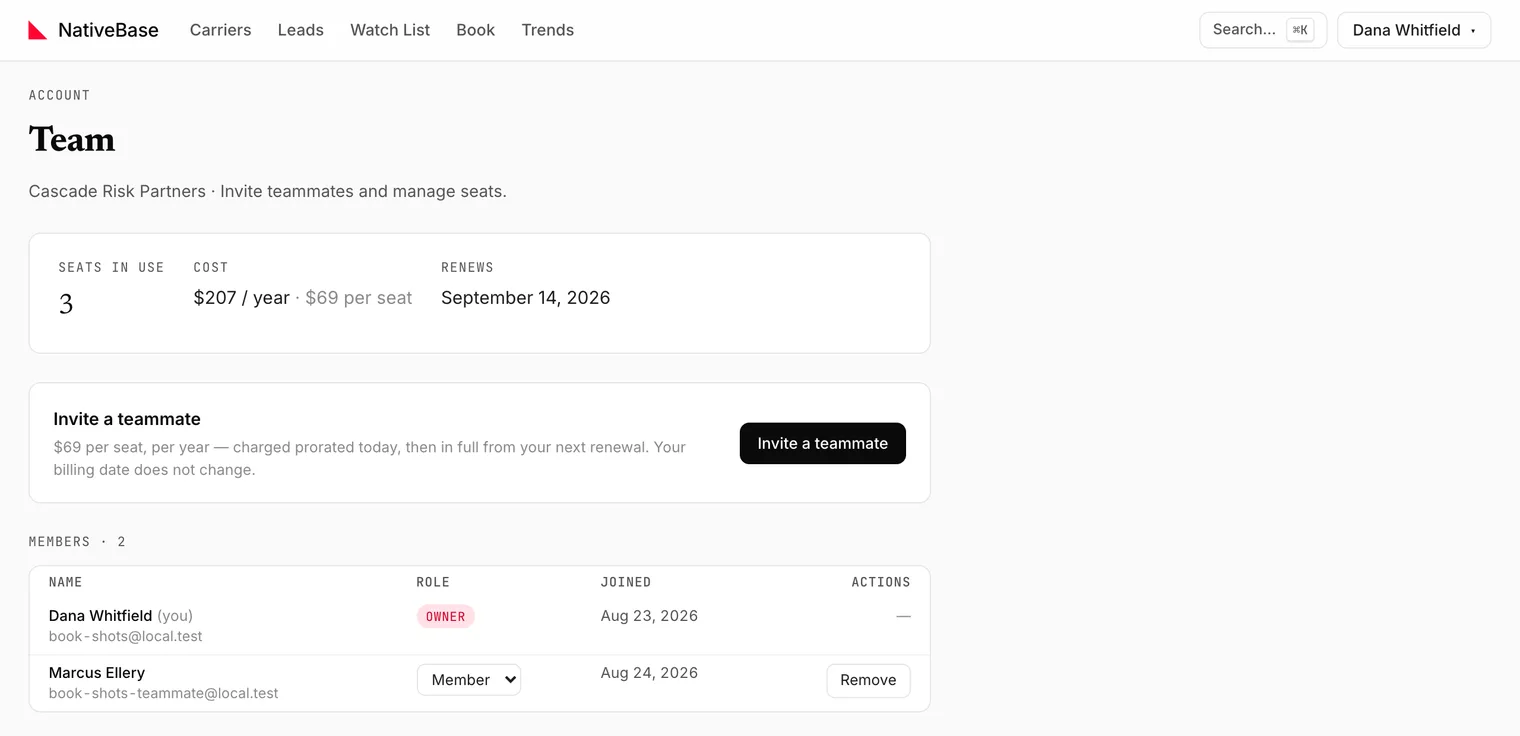
#The header
| Stat | Meaning |
|---|---|
Seats in use | Members plus pending invites |
Cost | Per-seat price at your billing interval |
Renews | Next renewal date |
#Roles
| Role | Can |
|---|---|
Owner | Everything, including billing |
Admin | Use the app and manage seats |
Member | Use the app |
The dialog states the difference at the point of choosing: Member (can use the app and Admin) can also manage seats.
#Inviting someone
Use Invite a teammate, from this page or the account menu on any page. Enter an email (the placeholder is name@company.com), pick a role, and confirm. The dialog shows Charged today before you commit.
The invite appears in the members table with an Invited date until it is accepted.
#Without a subscription
Seats need an active subscription. Without one the page says:
Start a subscription to add teammates. Your first seat is your own.
and offers View plans.
#What is shared and what is not
| Shared across the team | Yours alone |
|---|---|
| The Book of business and its work queue | Your Watch List |
| Team membership and seats | Your saved views and their alerts |
| Billing | Column, density and rows-per-page choices: stored per browser |
That split is worth knowing before you assume a colleague can see the view you just saved: they cannot. The Book is the shared surface.
#Billing
Prices, renewal and cancellation: Subscription and billing. Current per-seat prices are on the pricing page.
Last reviewed