Watch List
Track carriers in Market Tracker and see exactly what changed since you started watching, import your book by CSV, and receive the daily email digest.
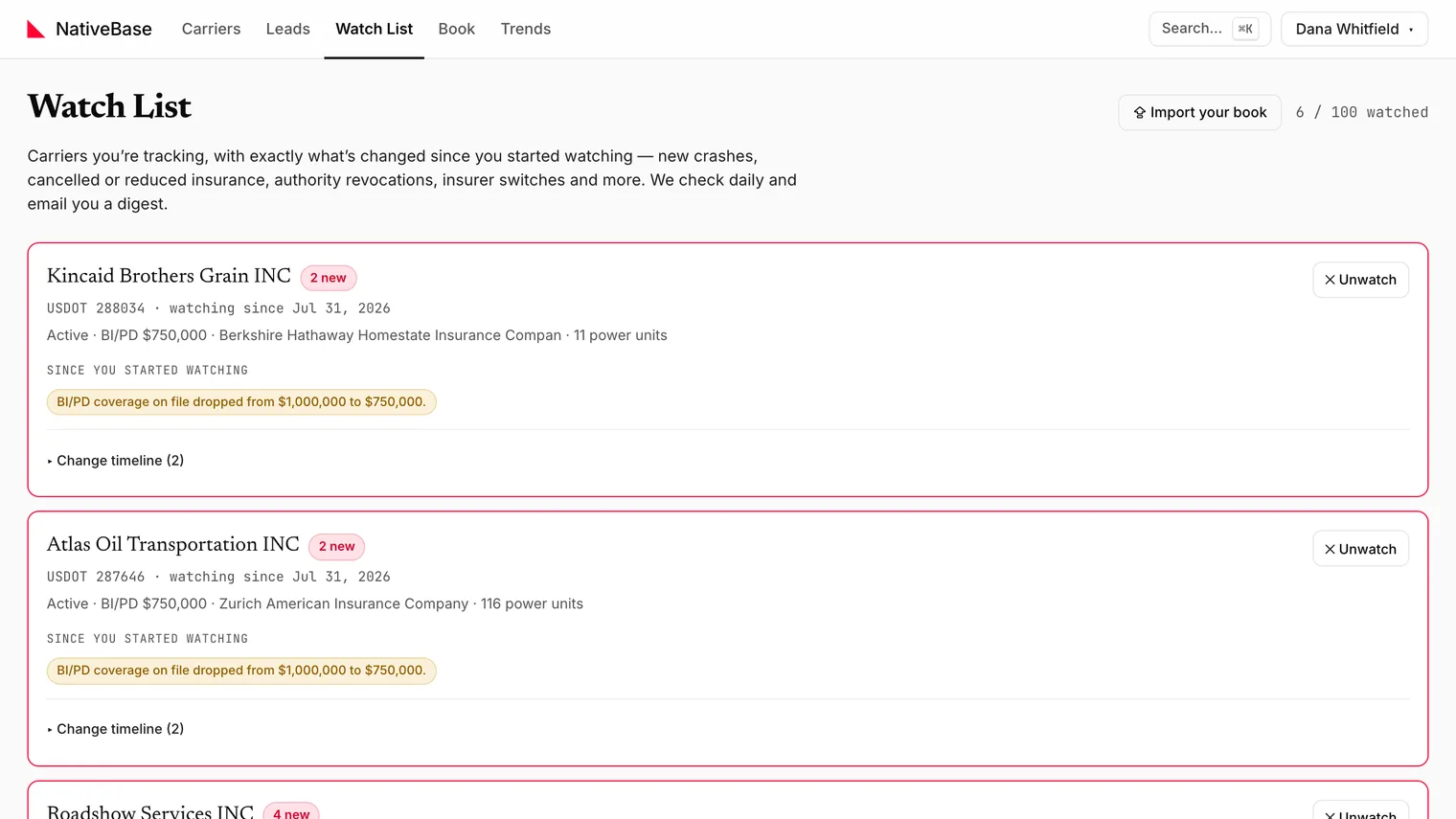
The Watch List is the carriers you are tracking, with a timeline of what has changed on each since you started watching. Market Tracker checks daily and emails a digest.
The app states the scope itself:
Carriers you're tracking, with exactly what's changed since you started watching: new crashes, cancelled or reduced insurance, authority revocations, insurer switches and more. We check daily and email you a digest.
#Adding carriers
Two ways:
- One at a time: the star control on a grid row or a Carrier File.
- In bulk: ⇪ Import your book.
#The baseline
Watching a carrier baselines it that day. The timeline reports changes from that point forward, not history before it. A carrier watched today shows:
✓ No changes since you started watching on {date}.
That is correct behaviour on day one, not an empty result.
To see what happened before you started watching, use the History tab of the Carrier File.
#Importing your book
⇪ Import your book accepts USDOT numbers in any shape (commas, newlines, a pasted CSV column) or a dropped CSV export from your AMS. The panel states the remaining capacity as you go.
Each imported carrier is baselined on import, same as a single star.
An import failure shows Import failed. The usual cause is a file with no recognisable USDOT column.
Limit
There is a cap on how many carriers one user can watch, shown in the header as {count} / {limit} watched, and a per-import maximum. Current numbers: Limits and caps.
#The daily digest
Once a day, Market Tracker scans your watched carriers and emails a digest of what changed. Carriers with nothing new are not padded into the email.
Digests stop when a subscription lapses: the scan skips users without access. Resuming the subscription resumes the digests; your watch list is not deleted in the meantime.
#What is checked before an alert sends
An insurance no longer on file alert is verified against FMCSA's live registration record before it goes out, because the public filing feeds have missed most renewal filings since the May 2026 system migration: a carrier that renewed on its anniversary does not alert. Authority alerts follow one precedence rule across the federal sources, so a status that flickers between two feeds does not repeat. Renewal alerts include anniversary estimates for continuous filings older than a year, labelled as such.
#Reading the timeline
Each carrier shows a Since you started watching summary, expandable to the full ▸ Change timeline. The page also groups carriers by Remarketing window and Renewal pipeline so the ones worth acting on this month surface first.
#Unwatching
✕ Unwatch removes the carrier and its timeline, and frees a slot.
#Watch List versus view alerts
The Watch List follows named carriers and reports what changed on each. View alerts watch the market and report new carriers matching a filter. Most people use both.
#Without an account
The public carrier insurance monitor will alert you on a single carrier's authority and insurance changes without a subscription. The Watch List is the version that handles a whole book.
Last reviewed