Trends
Market-size any Carriers filter in Market Tracker: geography, fleet mix, operating radius, top insurers, coverage on file and cargo mix. Desktop only.
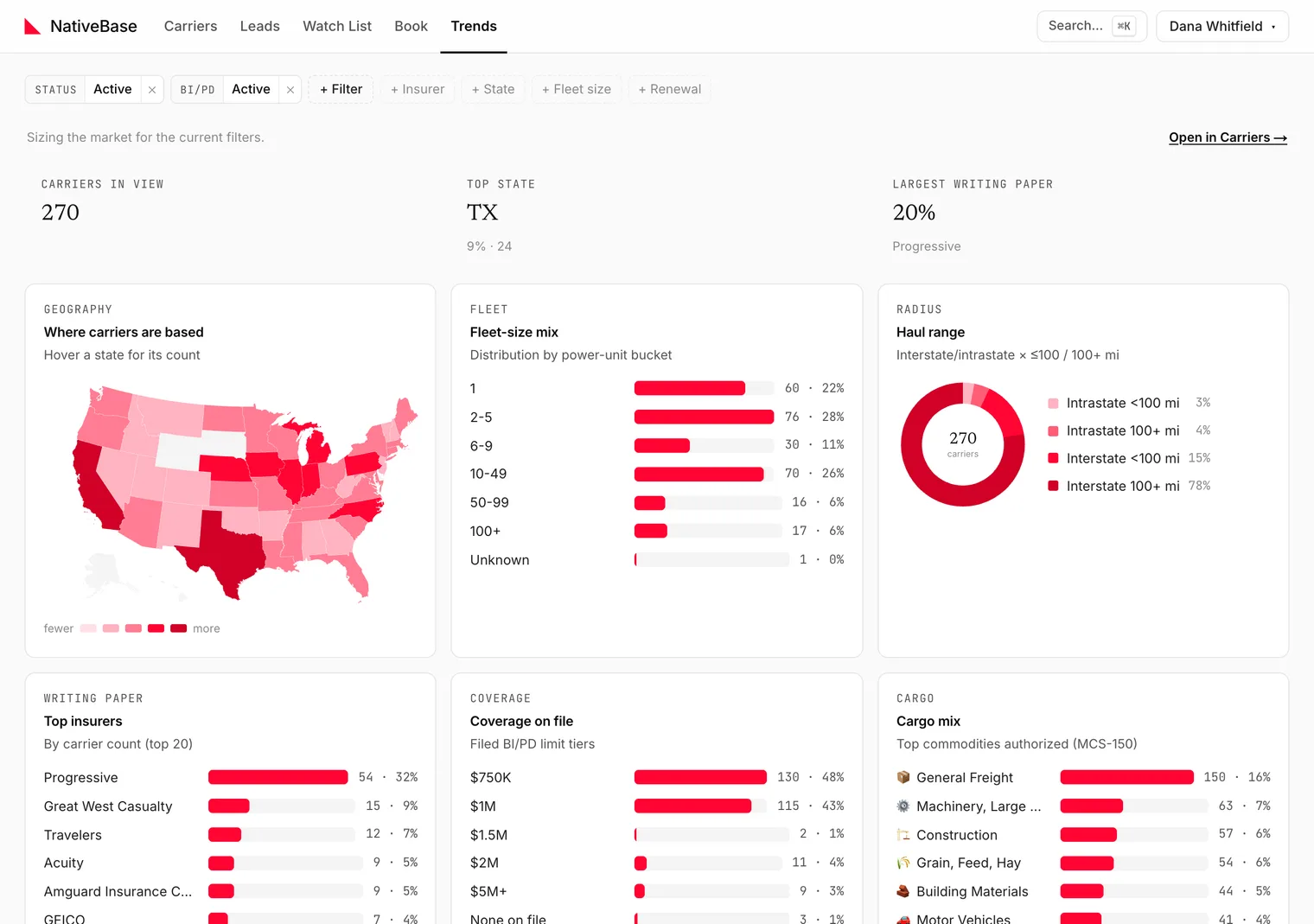
Trends sizes the market for whatever filters you have set on Carriers. Its own subtitle says it plainly: Sizing the market for the current filters. Use it before working a segment, to find out whether the segment is big enough to be worth the week.
Watch out
Trends is desktop only. Opening /app/market/ on a phone redirects to Carriers. Every other tab works on mobile.
#Headline metrics
Three cards at the top:
- Carriers in view
- Top state
- Largest writing paper
#The panels
| Panel | Shows |
|---|---|
| Geography | Where carriers are based. Hover a state for its count |
| Fleet | Fleet-size mix |
| Radius | Haul range |
| Writing paper | Top insurers by carrier count, top 20. Each name opens the insurer's profile on Insurers |
| Coverage | Coverage on file |
| Cargo | Cargo mix |
#Filters carry across
Trends reads the same filter state as Carriers. Filter to Texas reefer on the grid, switch to Trends, and you are sizing Texas reefer. Open in Carriers → takes you back with the filters intact.
The full filter set is documented in the Carriers filter reference.
#Cargo is the exception
The Cargo panel is shown for the full market rather than the filtered set. When filters are active it says so:
Cargo mix is shown for the full market. Clear filters to see it.
#What Trends is not
It counts carriers, not premium, not policies, not revenue. "Largest writing paper" means the insurer on file for the most carriers in view: not the largest by premium volume.
Last reviewed